How to Format HTML and CSS for Easier Web Development
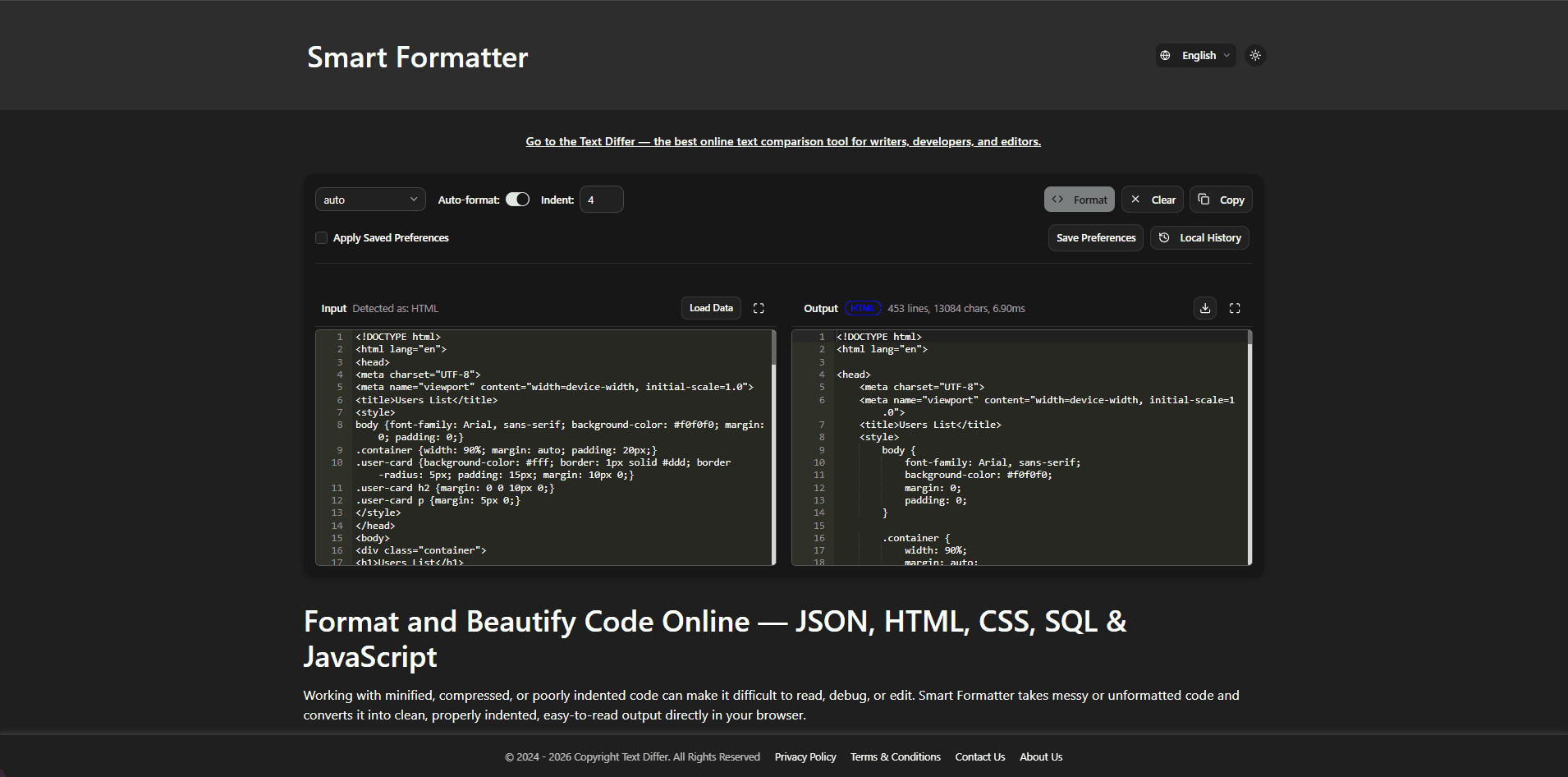
Turn Hard-to-Read Web Code Into a Clearer Working Structure
HTML and CSS can become difficult to work with when indentation disappears, styles are compressed into a single line, or attributes are scattered across long elements. This makes it harder to locate mistakes and understand how different parts of a page fit together. Formatting the code gives developers a clearer view of the markup and styles, making everyday editing, troubleshooting, and review more manageable.
What Does an HTML & CSS Formatter Do?
An HTML and CSS formatter rearranges existing code into a consistent layout without changing the purpose of the markup or styles. HTML elements are placed into a readable hierarchy, while CSS selectors and their declarations are separated into an easier-to-scan structure. This is particularly helpful when working with compressed code, copied snippets, older projects, or files that follow inconsistent formatting.
How to Format HTML and CSS Code
- Place your HTML or CSS code into the formatter editor.
- Choose the appropriate HTML or CSS formatting option.
- Run the formatter to reorganize the code into a clearer layout.
- Review the result and check the surrounding markup or style rules.
- Make any project-specific adjustments that your codebase requires.
- Copy the formatted result or save it for use in your project.
Useful HTML and CSS Formatting Features
- Readable HTML Structure: Nested elements are displayed with consistent spacing so you can follow the relationship between parent and child elements more easily.
- Organized CSS Declarations: Selectors and their properties are arranged into a predictable layout that makes individual style rules easier to scan.
- Support for Compressed Code: Long, condensed HTML and CSS can be expanded into multiple lines so the underlying structure is easier to inspect.
- Clear Attribute Layout: HTML elements containing several attributes become easier to read when long lines are separated into a more manageable format.
- Consistent Spacing: Indentation, line breaks, and spacing are applied consistently, reducing visual clutter when working through a large file.
- Browser-Based Formatting: You can format HTML and CSS directly in the browser without needing to install a separate code-formatting application.
Why Developers Format HTML and CSS
- Spot Structural Problems Faster: A clearer HTML layout makes it easier to follow nested elements and notice areas that deserve closer inspection.
- Make Code Reviews Easier: Consistent formatting gives teammates a cleaner view of markup and styles when reviewing changes.
- Work More Comfortably With Existing Code: Formatting copied, compressed, or inconsistently arranged code can make unfamiliar projects easier to understand.
- Simplify Future Edits: When selectors, properties, and markup have a predictable layout, locating the section you need to change takes less effort.
- Improve Code Organization: A consistent presentation helps separate different sections of a stylesheet or document and makes large files less overwhelming.
Conclusion
Formatting does not change what your HTML or CSS is designed to do, but it can make the code much easier to work with. Whether you are reviewing an old stylesheet, inspecting compressed markup, or preparing code for a team review, a consistent layout provides a clearer starting point for the next edit.