How to Format JavaScript Code for Better Readability and Maintenance
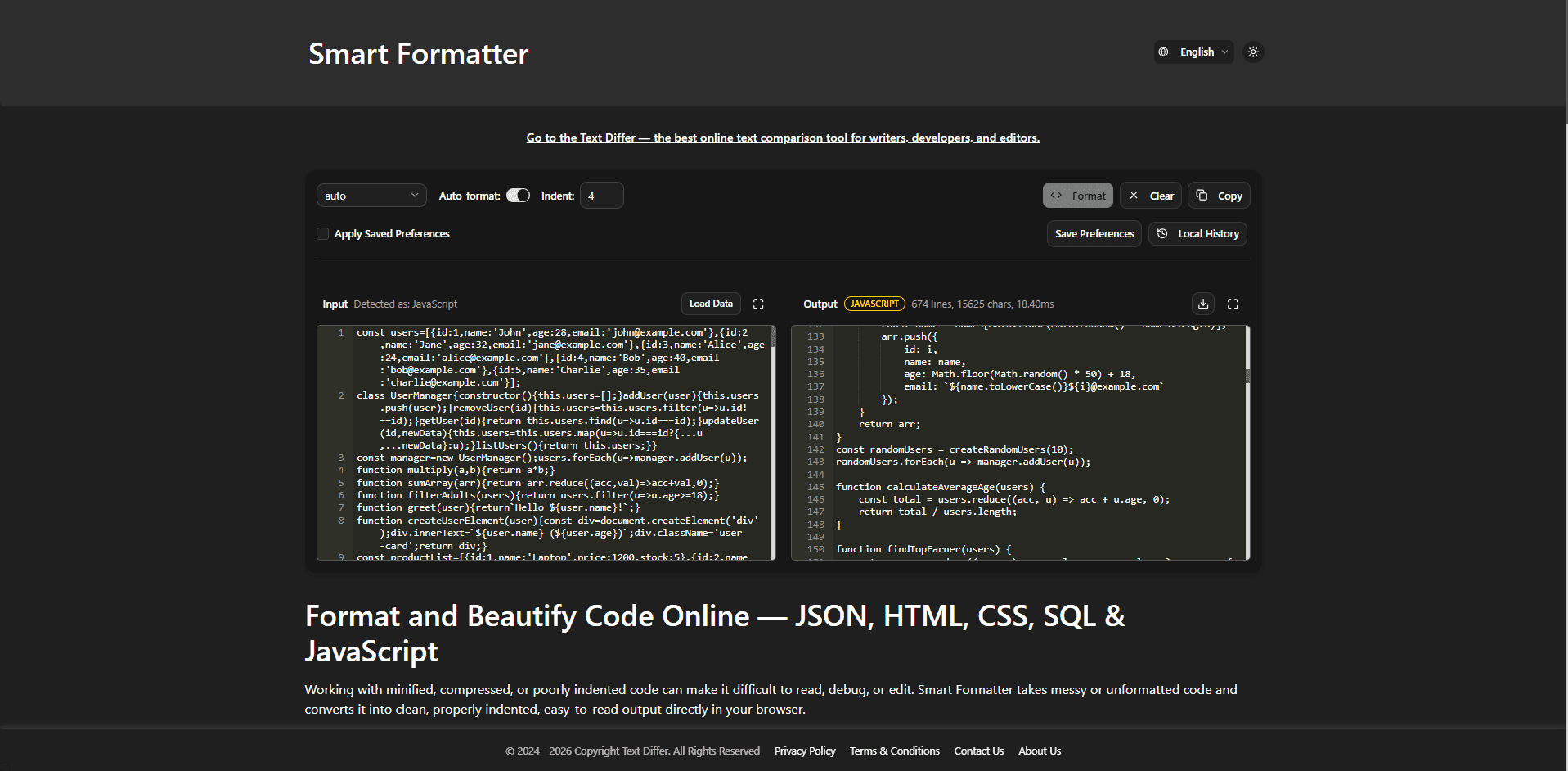
Make JavaScript Easier to Read, Review, and Maintain
JavaScript files can become difficult to follow when indentation, spacing, line breaks, and other style choices vary throughout the code. This is especially noticeable in larger functions, nested objects, callbacks, and conditional statements. Applying a consistent format gives the code a predictable structure, making it easier to inspect, edit, and review.
What Does a JavaScript Formatter Do?
A JavaScript formatter rearranges source code into a consistent visual structure while preserving the intended code content. It can organize indentation, spacing, line breaks, brackets, function definitions, arrays, objects, and other common JavaScript constructs. Formatting is useful when working with code copied from different sources, older files, compressed snippets, or projects that use inconsistent styles.
How to Format JavaScript Code
- Paste the JavaScript code you want to organize into the Smart Formatter editor.
- Choose JavaScript as the formatting language.
- Run the formatter to apply a consistent layout to the code.
- Review functions, conditions, objects, arrays, and nested sections in the formatted result.
- Check the output against the coding conventions used by your project.
- Copy the organized code into your project or save it for later use.
Useful JavaScript Formatting Features
- Consistent Indentation: Nested statements and code blocks are spaced consistently so the structure of the script is easier to follow.
- Readable Functions and Conditions: Function bodies, conditional statements, loops, and other blocks are arranged into a clearer visual hierarchy.
- Object and Array Formatting: Long or nested objects and arrays can be displayed across multiple lines instead of becoming difficult-to-read single lines.
- Modern JavaScript Syntax: The formatter can organize commonly used syntax such as arrow functions, template literals, destructuring, classes, and async code.
- Cleaner Long Statements: Long expressions and sections of code can be laid out in a more manageable format, making them easier to inspect.
- Browser-Based Formatting: JavaScript can be formatted directly in the browser without requiring a separate desktop formatting application.
Why Keep JavaScript Code Consistently Formatted?
- Make Complex Code Easier to Read: Consistent spacing and indentation make nested logic and larger functions easier to understand.
- Simplify Code Reviews: A predictable layout lets reviewers spend more time examining actual code changes instead of dealing with inconsistent formatting.
- Make Existing Code Easier to Understand: Formatting can make unfamiliar or poorly arranged scripts easier to inspect before making changes.
- Reduce Formatting Differences: Using a consistent layout can help reduce unnecessary formatting changes when multiple developers work on the same project.
- Make Future Editing More Convenient: Well-organized code makes it easier to locate functions, conditions, objects, and other sections when updates are needed.
Conclusion
JavaScript formatting is a simple way to make source code more consistent and easier to work with. Whether you are reviewing a copied snippet, cleaning up an existing script, or preparing code for a team project, a clear layout can make reading and editing the code more straightforward.