How to Retrieve & Restore Text Comparisons from Local Browser History
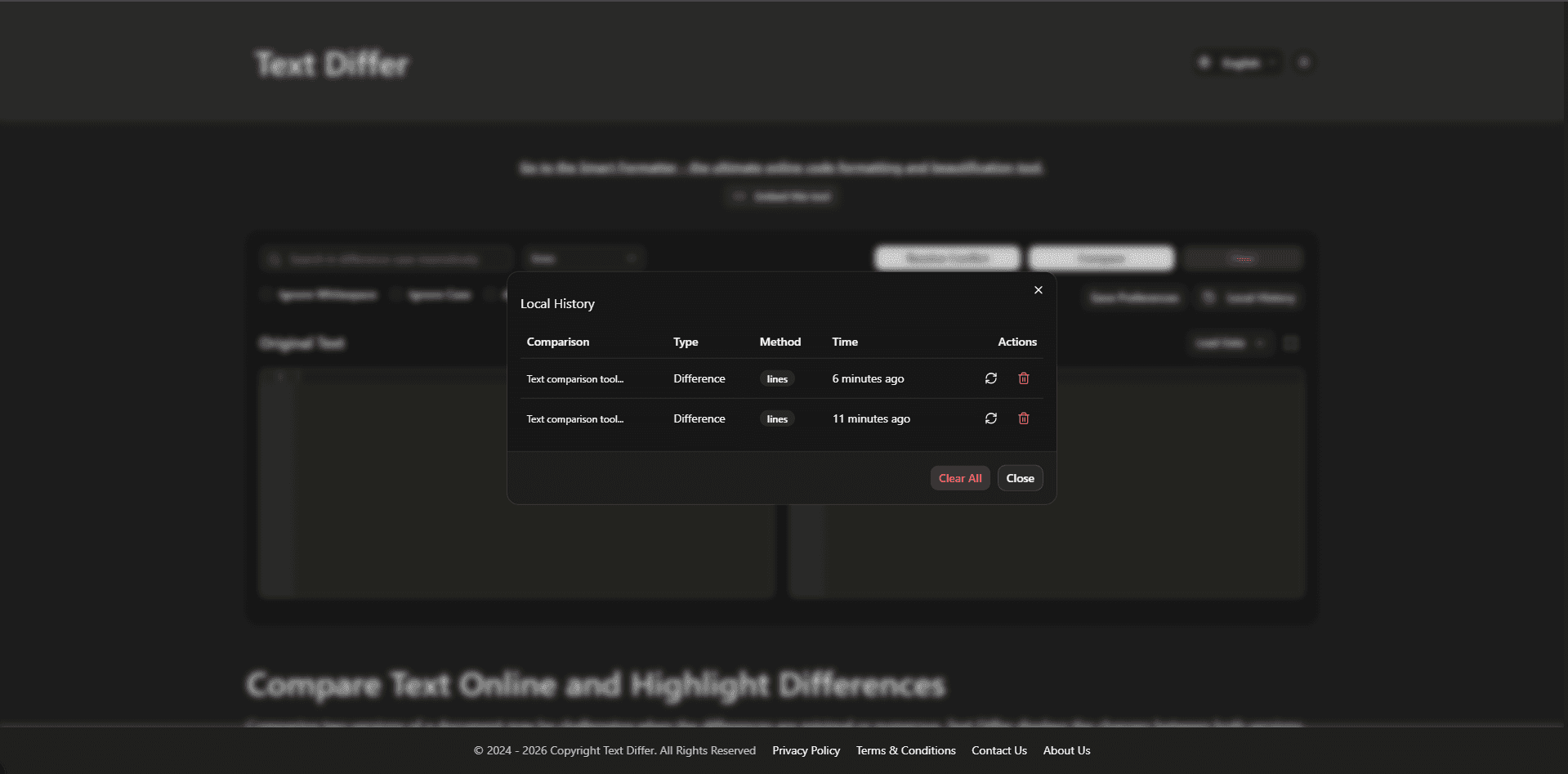
Never Lose a Text Difference Check Again with Automated Browser History
Have you ever spent considerable time pasting, configuring, and analyzing complex code diffs or contract revisions, only to accidentally close your browser tab, experience a sudden system reboot, or navigate away? Local History in Text Differ ensures that your past text comparison sessions are automatically recorded in client-side browser storage. This feature allows you to instantly recover, re-examine, and restore previous comparison sessions without re-uploading files or manually re-pasting data.
What Is Local History in Text Differ and How Does It Protect Your Data?
Local History is an intelligent browser-native feature that creates real-time snapshots of your text comparison workflows—capturing baseline text, modified text, active diff settings (such as Line/Word/Char modes and ignore flags), and precise timestamps. These snapshots are encrypted and saved locally inside your browser's LocalStorage or IndexedDB database. Unlike cloud-backed web utilities that send your data to external servers, Local History operates 100% locally on your machine, providing total privacy and zero data leak risk for sensitive corporate code, API credentials, financial logs, and confidential legal documents.
Step-by-Step Guide to Retrieving and Managing Saved Comparisons
- Click on the 'Local History' button located in the primary Text Differ control bar.
- Browse the chronological drawer displaying saved comparison snapshots organized by relative timestamps (e.g., '10 minutes ago', 'Yesterday').
- Inspect the quick text preview snippets and active diff mode badges for each saved session.
- Click 'Load Comparison' to instantly populate both original and modified editor panels with saved content and settings.
- Use the search or filter input to quickly locate specific historical comparisons by keyword or document title.
- Delete individual history items or click 'Clear All History' whenever you wish to purge stored local session snapshots.
Core Features of Local History Snapshot Retrieval
- Automated Non-Intrusive Snapshotting: Captures comparison state automatically as you type or paste without interrupting your editing workflow.
- Instant One-Click Session Restoration: Restores original text, modified text, granularities, and active filter toggles in a single click.
- Human-Readable Relative Timestamps: Organizes history entries chronologically with clear time-ago indicators for fast visual scanning.
- Full Offline Accessibility: Access, search, and reload saved history items even when working without an active internet connection.
- Granular Storage Controls: Offers individual snapshot deletion and complete cache clearing options for full user control.
- Zero Server Upload Guarantee: Stores all snapshot data locally within client browser storage, maintaining maximum data privacy compliance.
Why Local Browser History Enhances Productivity & Peace of Mind
- Protection Against Accidental Data Loss: Recover lost text instantly if a browser crashes, system updates occur, or tabs close unexpectedly.
- Uncompromising Corporate Privacy Compliance: Guarantees proprietary source code, passwords, and private client data never leave your local device.
- Streamlined Multi-Tasking Workflow: Switch between multiple ongoing diff audits without repeatedly copying and pasting text back and forth.
- Rapid Audit Verification: Revisit previous comparison findings days later to confirm historical edits and document iterations.
- Zero Setup or Configuration Required: Functions automatically out of the box without requiring user login, account creation, or extension installs.
Conclusion
Local History turns your web-based text differ into a resilient, crash-proof workstation. Combining instant session retrieval with complete offline client-side privacy ensures you can compare critical documents worry-free.